


TOB - ASA
Once you are done with Getting Started, follow the steps below!
 Back to Getting Started
 Step 1: Register 🖥️
- Use Google Chrome
- Register page Here
- Register / Login
- Go to subscriptions and press activate Key
- Enter Key and press activate
- Go to Loader page and Press Download
Step 2: Injection
- Open the Loader as Admin
(Loader should auto close and delete itself) - Go back to the Loader page and wait for ark to load there (Could take 1/5 Minutes)
(Should like like this below)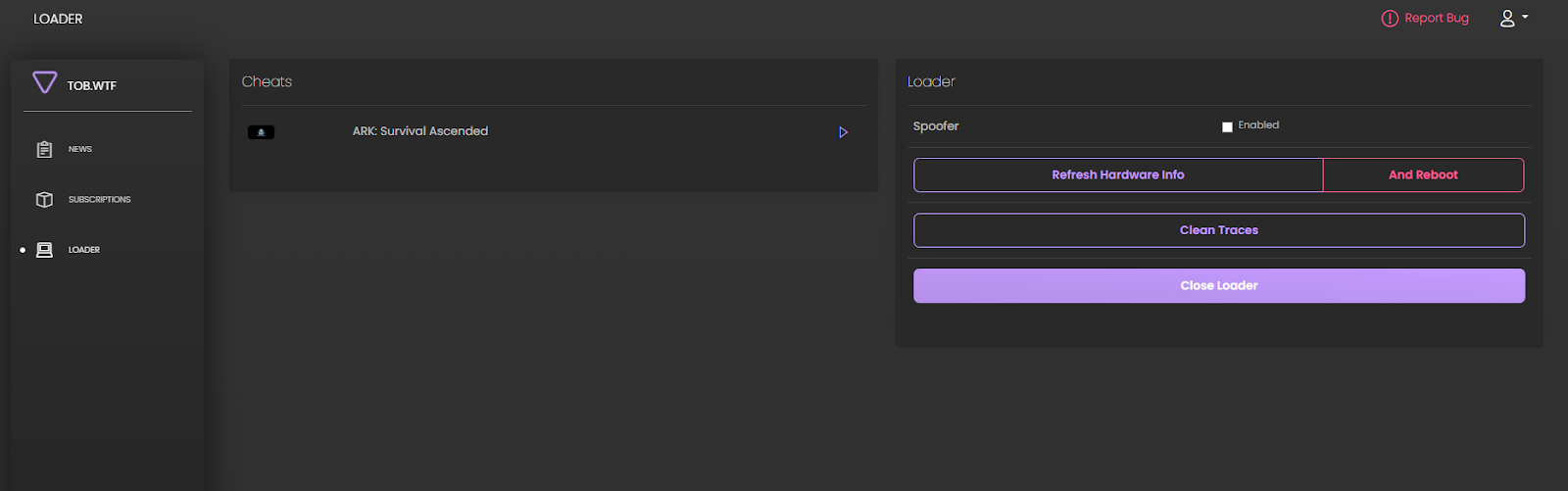
- Whenever it loaded press the play icon on the left side, as shown below.
- Wait until you get a popup saying Success.
- Launch Ark
- When in Main Menu Press "F8"
- TOB Watermark should appear in the top left
- Go in a server and press F8 for menu to show
(Menu doesn't show in main menu)

Trouble Shooting
Loader on website instantly going back to Download Screen.
- Make a ticket in discord and type /resethwid. This is a HWID mismatch error
Closing ark when pressing F8.
- Change in-game resolution to 100% and 1920x1080, and set game to borderless.
Or - Make sure Anti-Virus is fully Disabled.
- Change in-game resolution to 100% and 1920x1080, and set game to borderless.